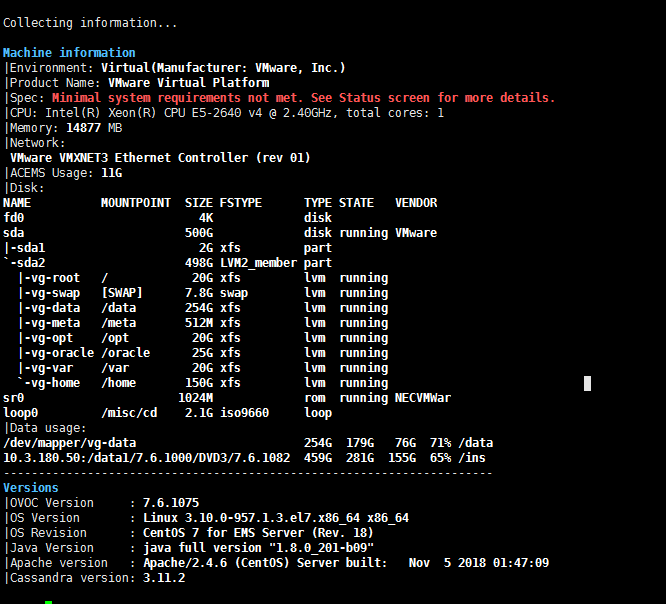
Installation and Upgrade Troubleshooting of the Operational Environment
This section describes the different scenarios for troubleshooting the operational environment.
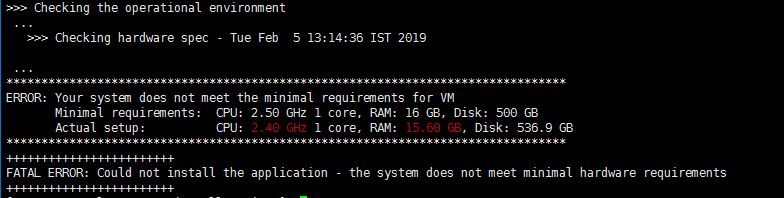
| ■ | If you attempted to upgrade and your system did not meet the minimum hardware requirements, the following message is displayed: |
Minimum Hardware Requirements Upgrade
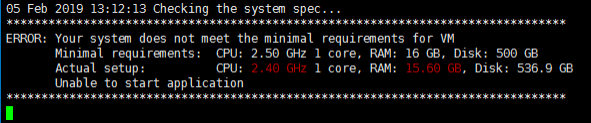
| ■ | If the OVOC server hardware configuration is changed and then the server is restarted, the following message is displayed in the /var/log/ems/nohup.out file. |
Minimum Hardware Requirements System Error
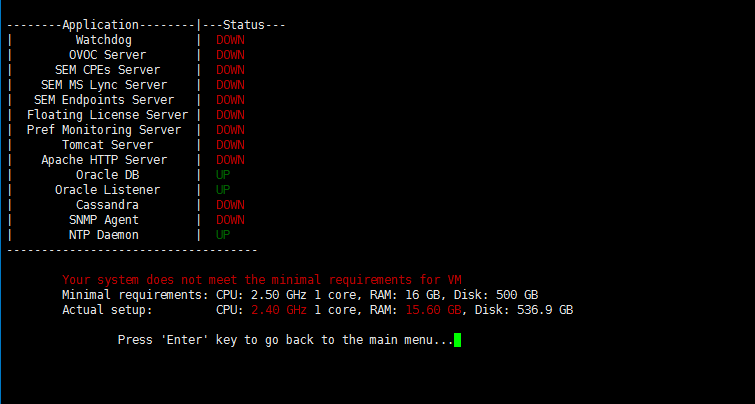
| ■ | Whenever an upgrade or clean installation is performed, and then the hardware settings are changed, which results in the minimum requirements not being met, the following message is displayed in the OVOC Server ManagerStatus screen : |
Status Screen Error
| ■ | Whenever an upgrade or clean installation is performed, and then the hardware settings are changed, which results in the minimum requirements not being met, the following message is displayed in the OVOC Server Manager General Info screen: |
General Info Minimum Requirements